Staff Travel Imprest Requests
The initiation process of creating staff travel imprest can be accessed through Imprest & Claims functionality. The user has to
choose from Imprest request or Claims refund or Imprest retirement submenu.
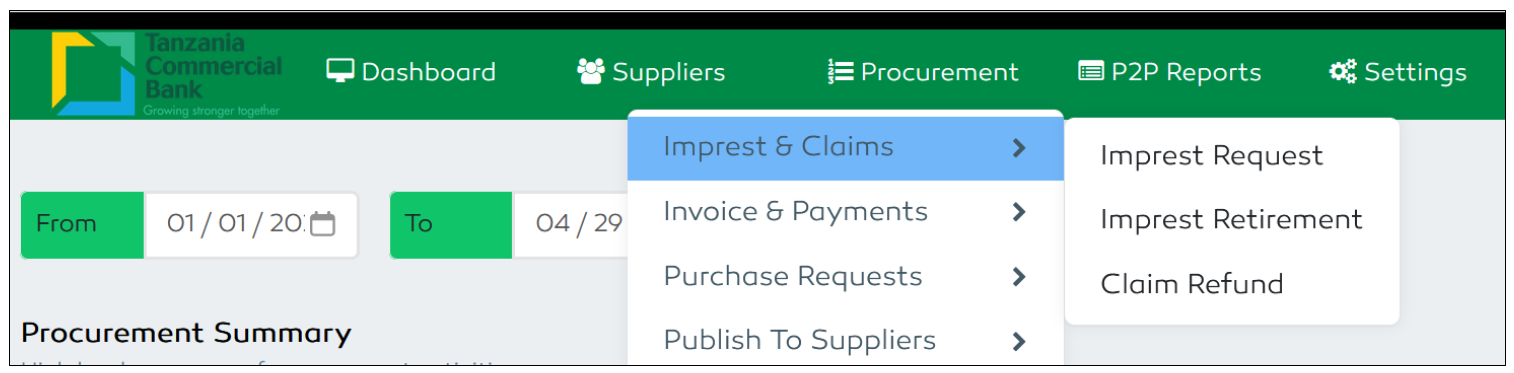
Figure 189: Branch Procurement Plan Features
Imprest Request
Staff has to create Travel advance request which will be retired after the specified time has elapsed. The user has to fill the required advance request form and submit the filled advance request for approval
Enter the Travel advance request description and submit for seeking management approval. Selection of Imprest type will specify and define the imprest retirement period.
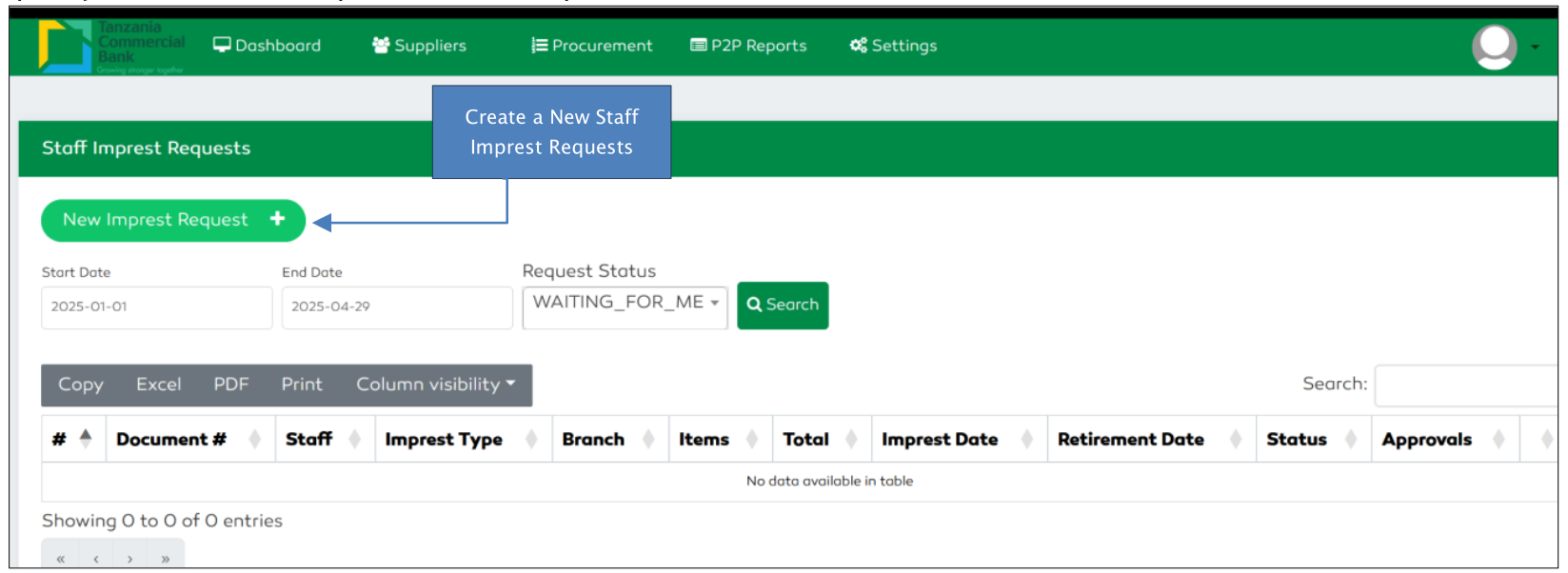
Figure 190: Staff Imprest Request List
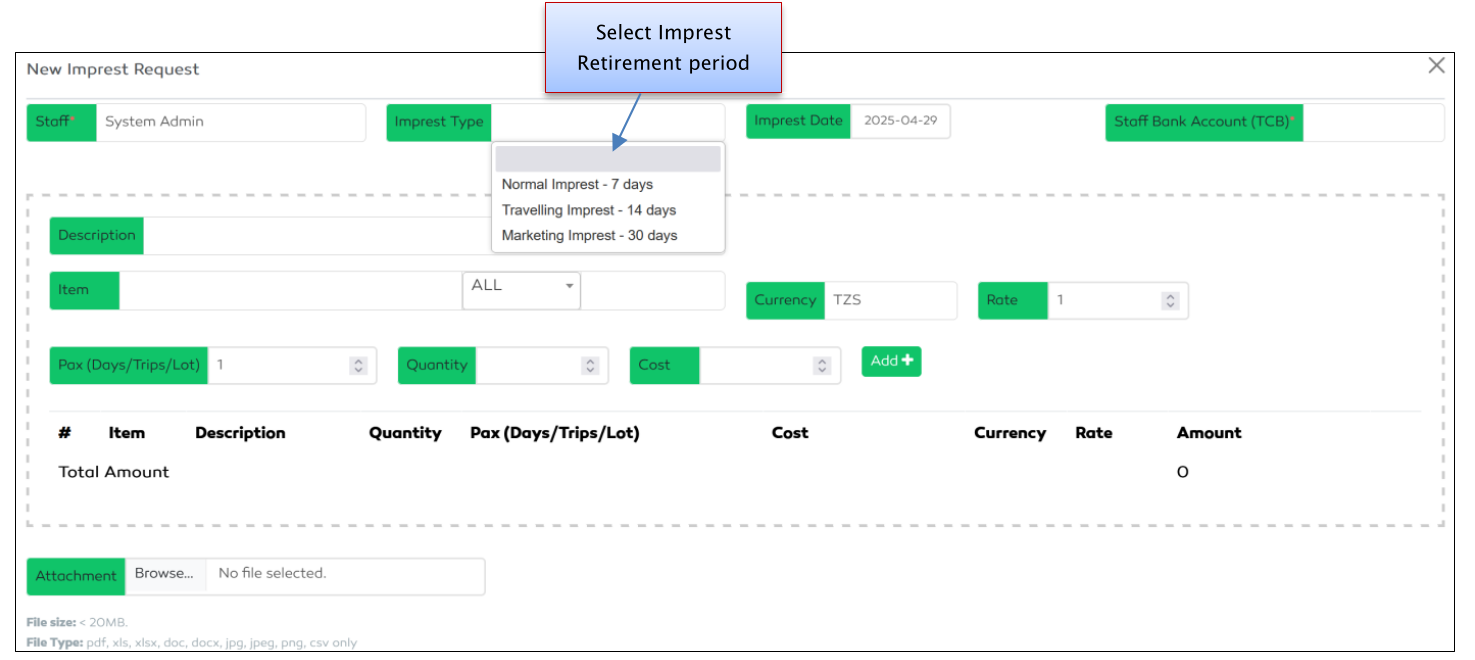
Figure 191: Staff Imprest Request form
Imprest Retirement
The imprest retirement can be initiated of commenced once the imprest advance has been approved and paid to payee. The advance retirement will be considered to be late when the required retirement period has been elapsed. The staff should navigate through Imprest & Claims to Imprest Retirement submenu.
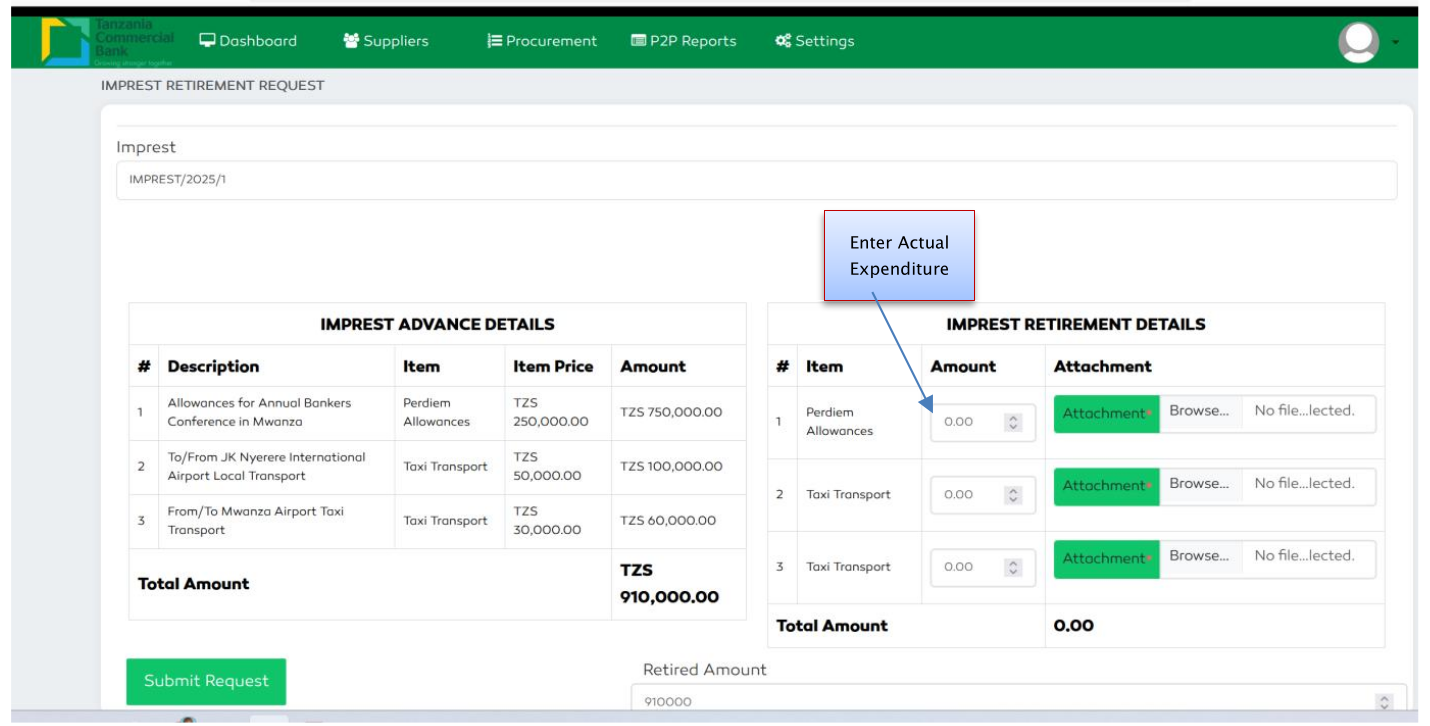
Figure 192: Staff Imprest Retirement
Under Expenditure Retirement
When the actual retirement expenditure is less than the advance payment approved, the staff has to retire the excess amount and attach the payment receipt.
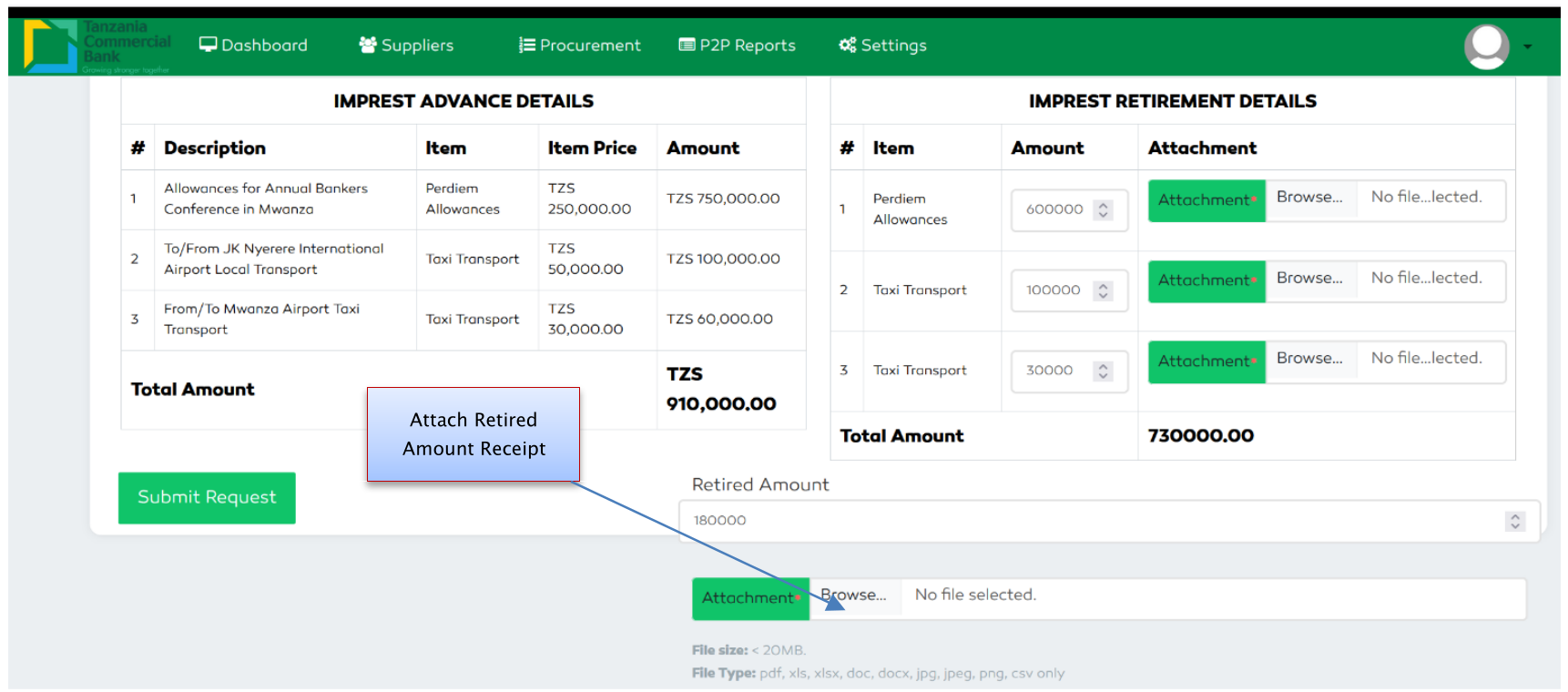
Figure 193: Staff Under-Expenditure page
Over Expenditure Retirement
When the actual expenditure exceeds the approved advance payment, the differences payment should be reimbursed to staff as over expenditure amount
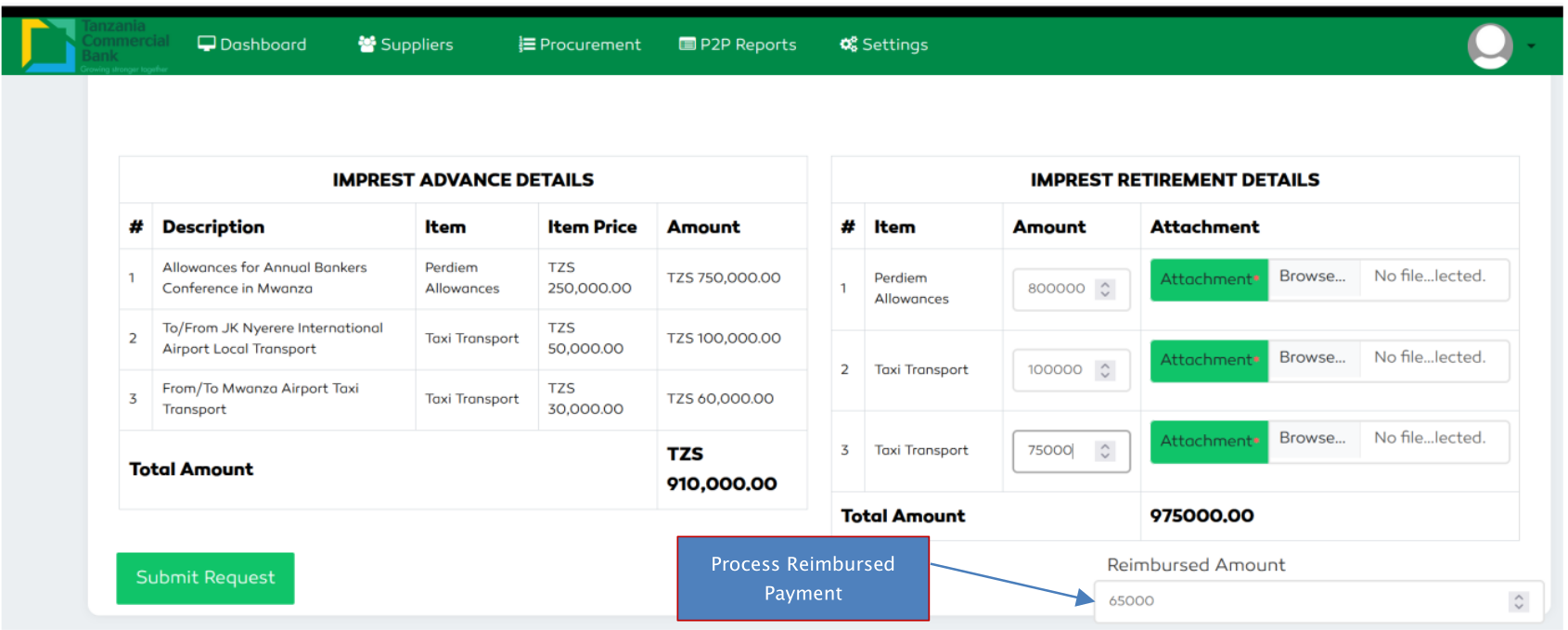
Figure 194: Staff Over-Expenditure page