Managing New Registered Suppliers
To view all registered vendors and their details, select the New Registered Vendors functionality. A user can
select the View functionality to view a specific supplier’s details.
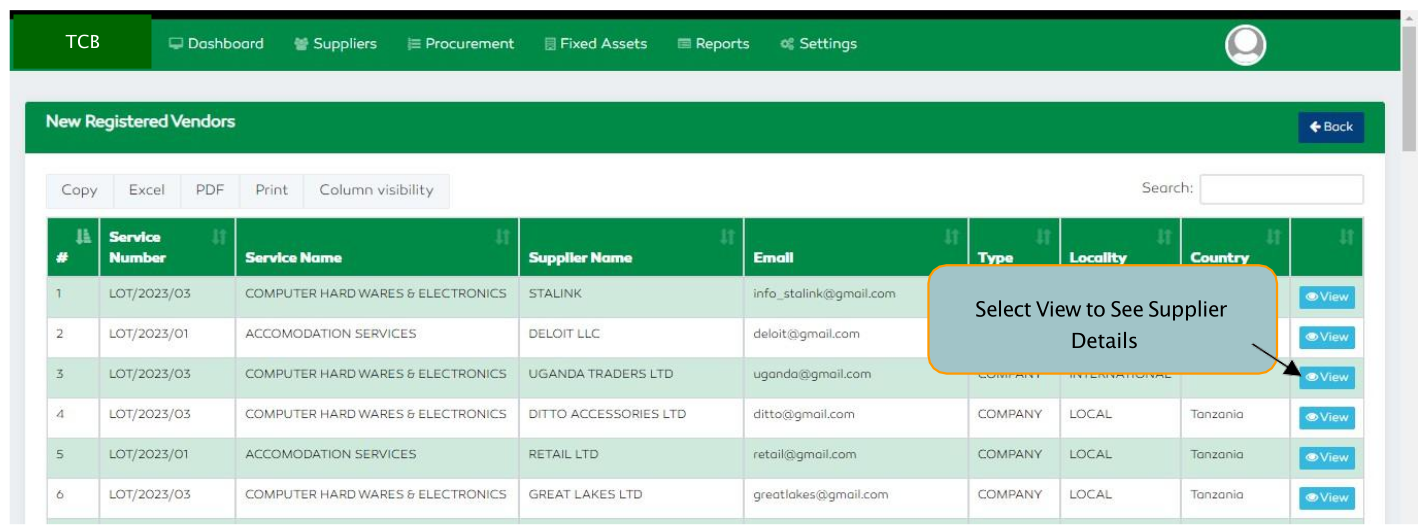
Figure 154: View Registered Suppliers
To manage new registered suppliers, select the Pre-Evaluation List functionality. A list of registered suppliers
will be displayed having the Service Number, Service Name, Supplier Name, Address, Type, Locality, Country
and Status.
A user can select the “View” functionality to view / assess the supplier’s pre-qualification details.
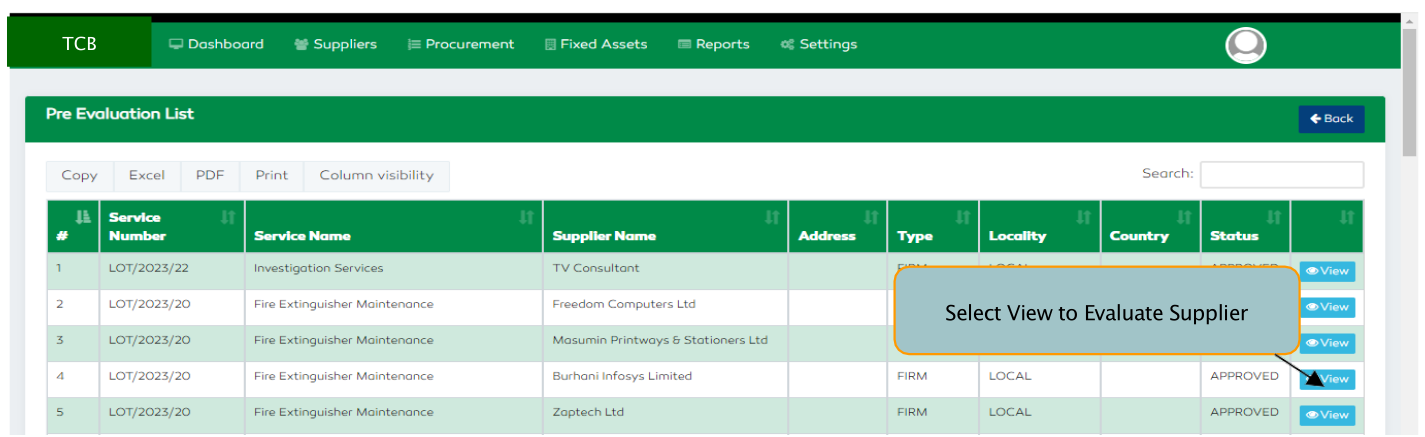
Figure 155: Managing New Registered Suppliers
On clicking the view feature, a Supplier-Pre-Qualification Form will be displayed. For a supplier who has already been evaluated and awarded scores, a user will only view the details.
For a supplier whose evaluation is still pending, the user can award scores and give remarks on the supplier’s details.
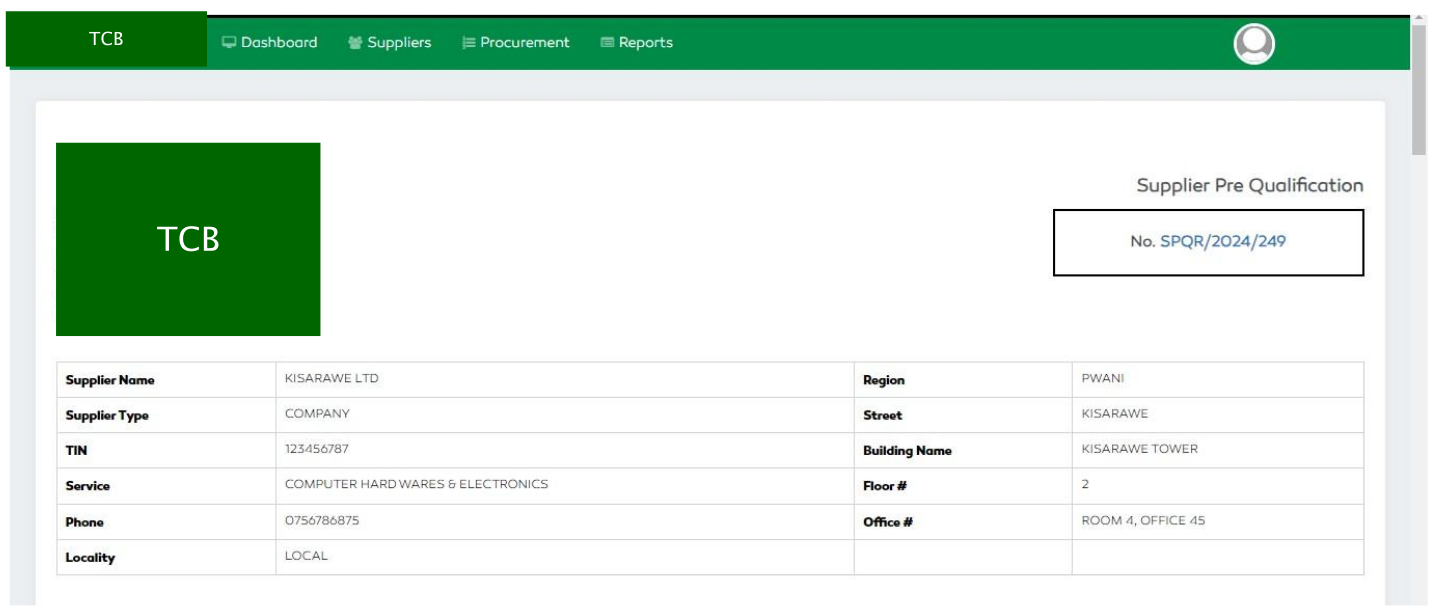
Figure 156: Supplier Pre-Qualification Form