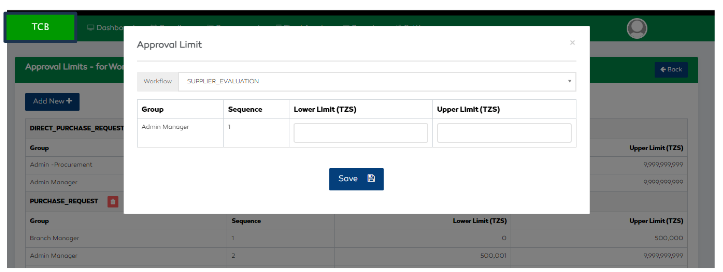
Approval Limit
Setting Approval Limits
The Approval limits functionality defines the minimum and maximum amounts that the defined approvers at
each level are obliged to. The feature enables a user to add or delete approval limits.

To add approval limits for a certain workflow,
- Select the
Approval Limitsfeature in theSystem Configmodule found in settings - Click the
Add Newbutton - Select the workflow that you want to set approval limits for
- Set the lower limit and higher limit
- Select the “Save” button and proceed