Menu Configuration
Menu Configuration:
The Menu Configuration section allows a user to add, view, edit or delete a menu. To manage the menu
configuration settings,
- Click the
Settingsmodule - Select the
System Configs - Select the
Menu Configurationfeature - Click the
Addbutton to add a new menu - Enter the Name, Icon (if it has one), check the box if it has a parent. If not, leave the checkbox unchecked, add a link (if any) and submit.
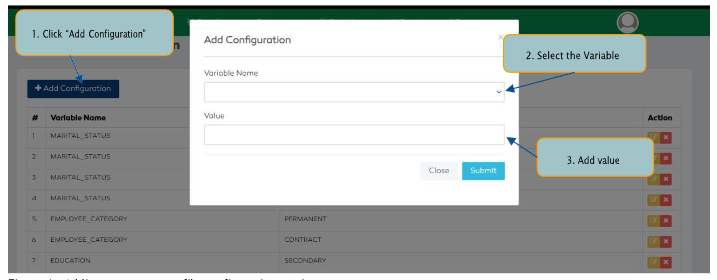
Figure 5: Menu Configuration features
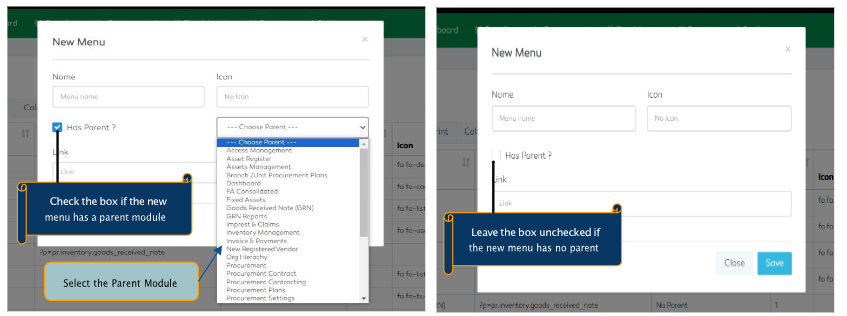
Figure 6: Add new menu configuration with a parent module Figure 7: A new menu configuration without a parent module