Organization Hierarchy
Organization Hierarchy
The Org Hierarchy feature defines the organization’s structure by breaking it down into Branches, Units
and Locations. A user can manage any of the named categories by selecting a specific category and.

Branches
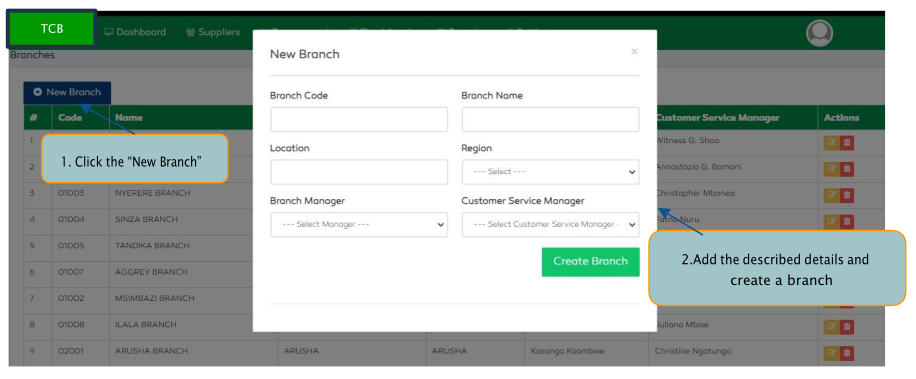
On Clicking the Branches feature, the system will give a list of current branches available in the system.
To add a new branch
- Click the
New Branchbutton - Add the Branch Code, Branch Name, Location and Region
- Select the Branch Manager
- Select the Customer Service Manager and click
Create Branch.
Units
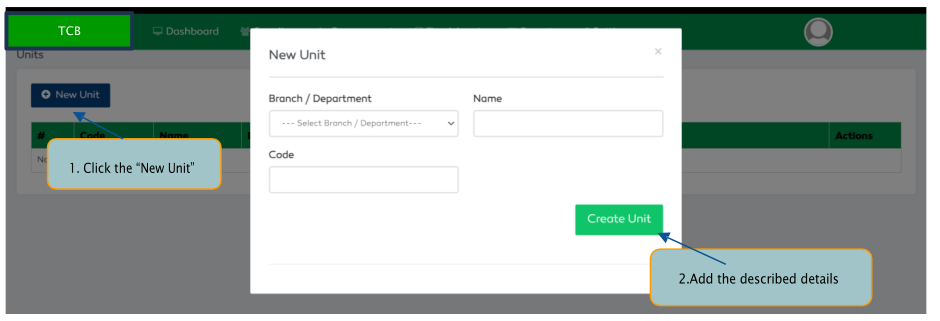
The Units feature allows a user to view the current units, add new units, edit existing units or delete.
To add a new unit
- Click the
System Configsfeature inSettingsmodule - Select the
Unitsfeature - Click the
New Unitbutton - Select the Branch / Department
- Add the Unit Name, Code and select the
Create unitto save.
Locations Settings
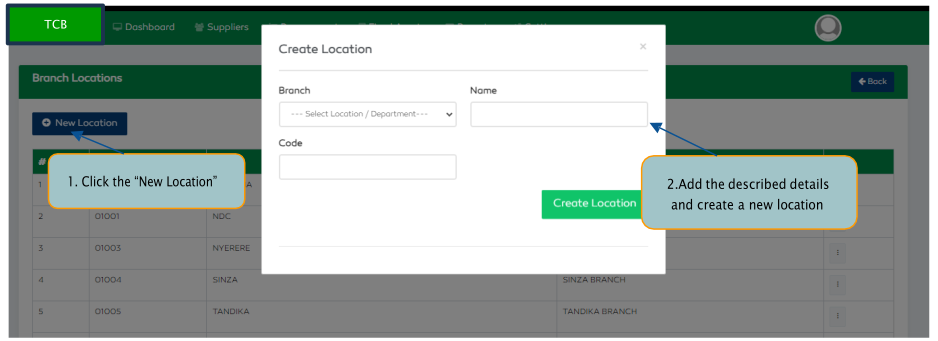
The Locations feature allows a user to view, edit, delete or add a new location.
To access the Locations settings, go onto Settings module and click the Org Hierarchy feature then select Locations
To add a new location
- Select
Locationsfeature. - Click the
New Locationbutton. - Select the location’s branch
- Enter the location’s name, code and submit to create a new location