Billing & Invoicing For Awarded Quatations
To provide supplier’s billing and invoicing details, click the three dots at the Actions column and select the
Billing & Invoices functionality.
A user will then select the Add New Invoice button to proceed.
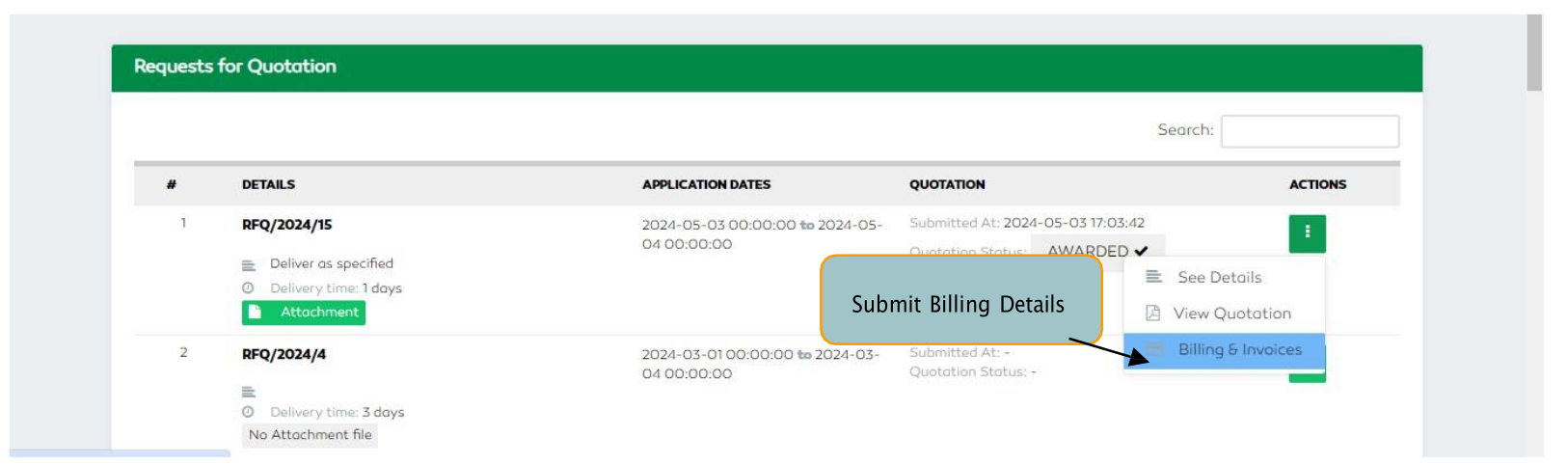
Figure 186: Billing and Invoicing Section
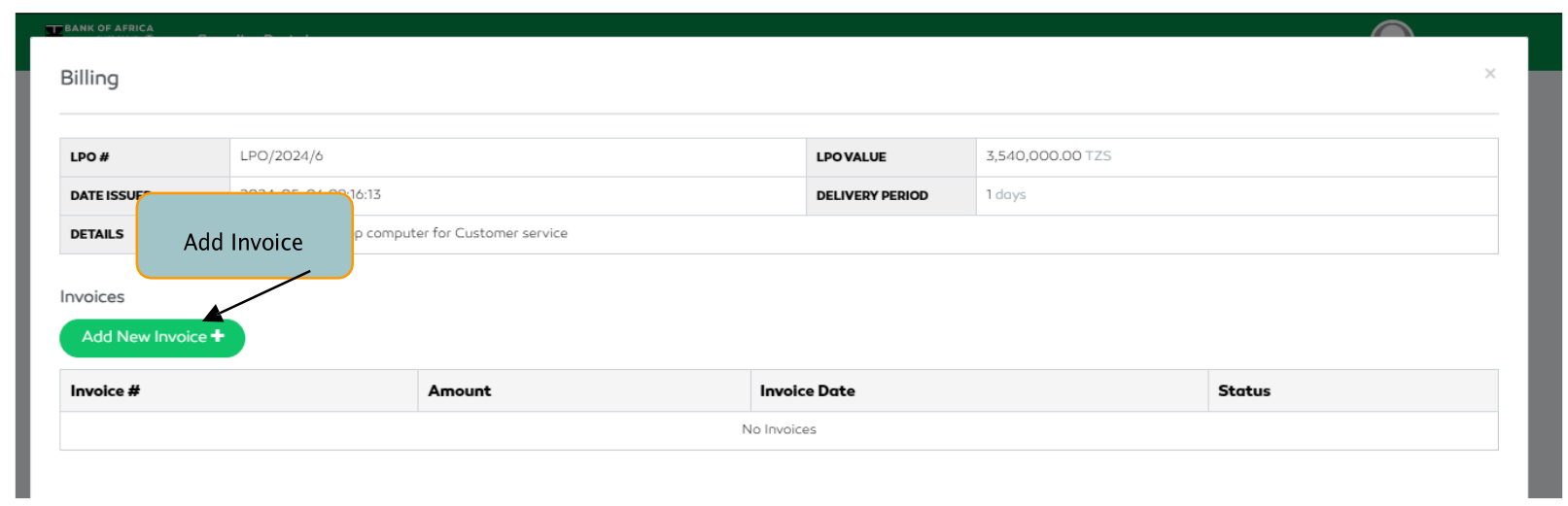
Figure 187: Adding an Invoice
A supplier user will,
- Add the Invoice Number,
- Select the payment bank account or select the
Add New Accountbutton for a new account, - Upload the required documents (the ones with an asterisk are mandatory documents).
- sSelect the
Submit Invoicebutton to submit invoice details.
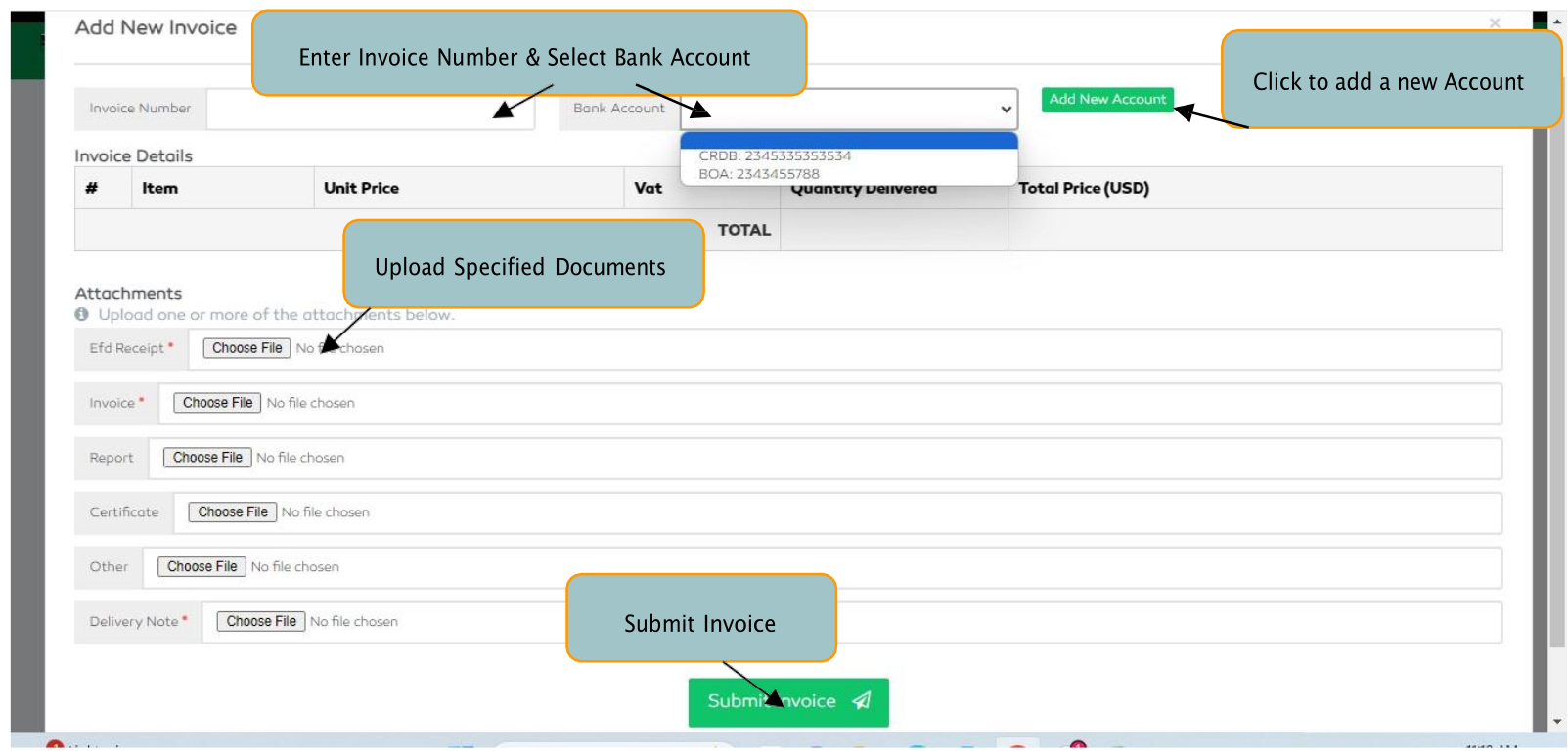
Figure 188: Submitting Invoice Details