Pre-Qualification Period: Entails the pre-qualification time frame(date).
Application Status: Gives the status (updated as Submitted before approval), the submission date and
time.
Pre-Evaluation Status: Gives the evaluation status (updated as pre-qualified initially) and also gives
the evaluation score. I.e. Score: 75%.
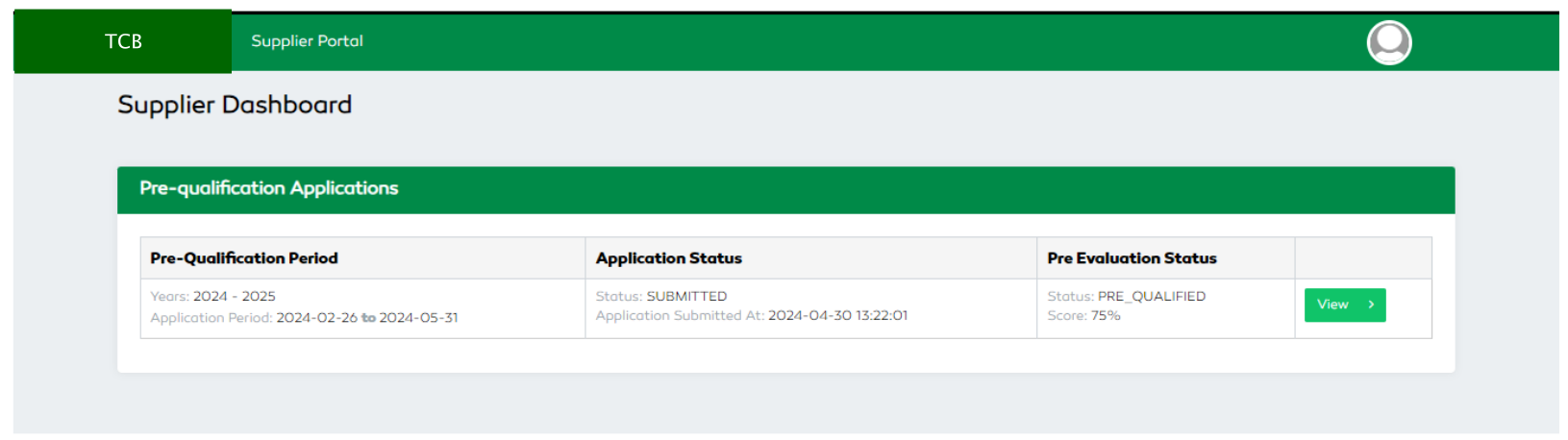
Figure 181: Supplier’s details after Pre-qualification Application
Accessing Published Quotations / Tenders
A supplier is only capable of viewing published quotations or tenders only after the pre-qualification evaluation and approval by defined evaluator personnel. This ensures that only approved suppliers can submit their bids. A user is only capable of submitting bids for a certain quotation or tender during the defined time period. The quotations' status will be updated depending on its current state whether its out of quotation period, submitted, awarded or rejected.
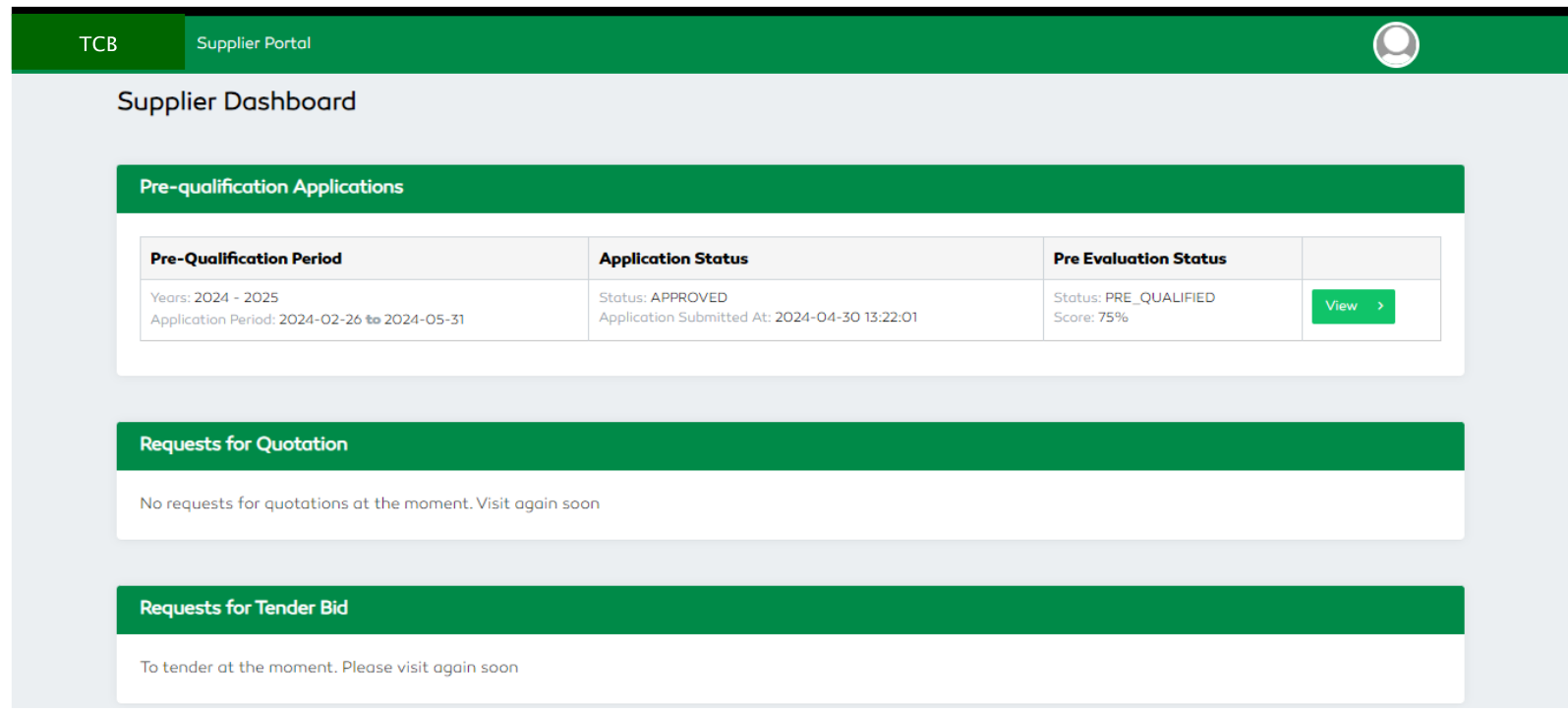
Figure 182: Accessing Published Quotations (No Quotations Awarded or Invited)
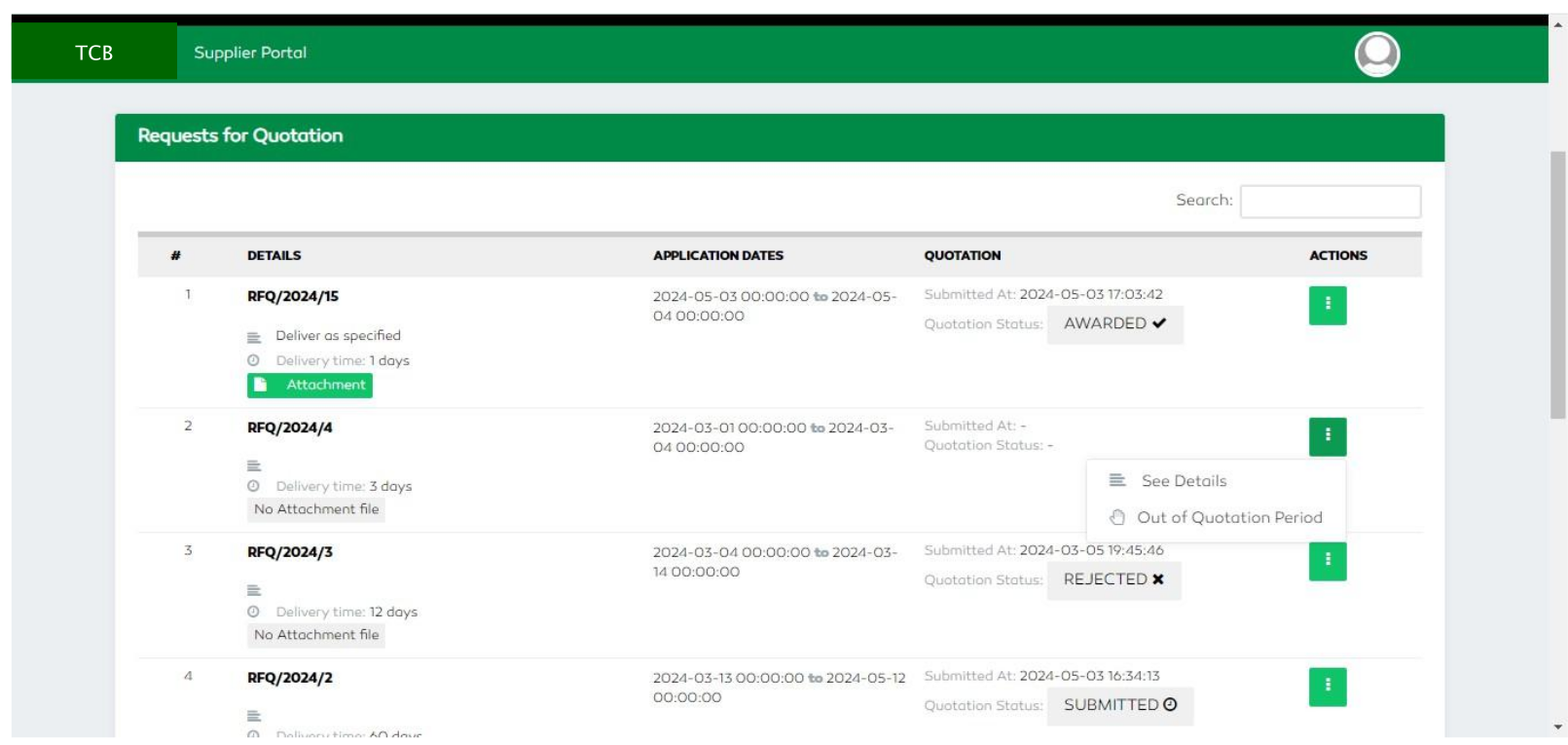
Figure 183: Managing Invited or Awarded Quotations
Submitting a Quotation
A supplier can submit a bid for quotations he has been invited to.
On the invited quotation’s row, click the three dots in the Actions column and select the Submit Quotation
functionality.

Figure 184: Accessing Invited Quotations
A supplier user will specify the delivery times, currency, unit price and upload a file specifying the bid details.
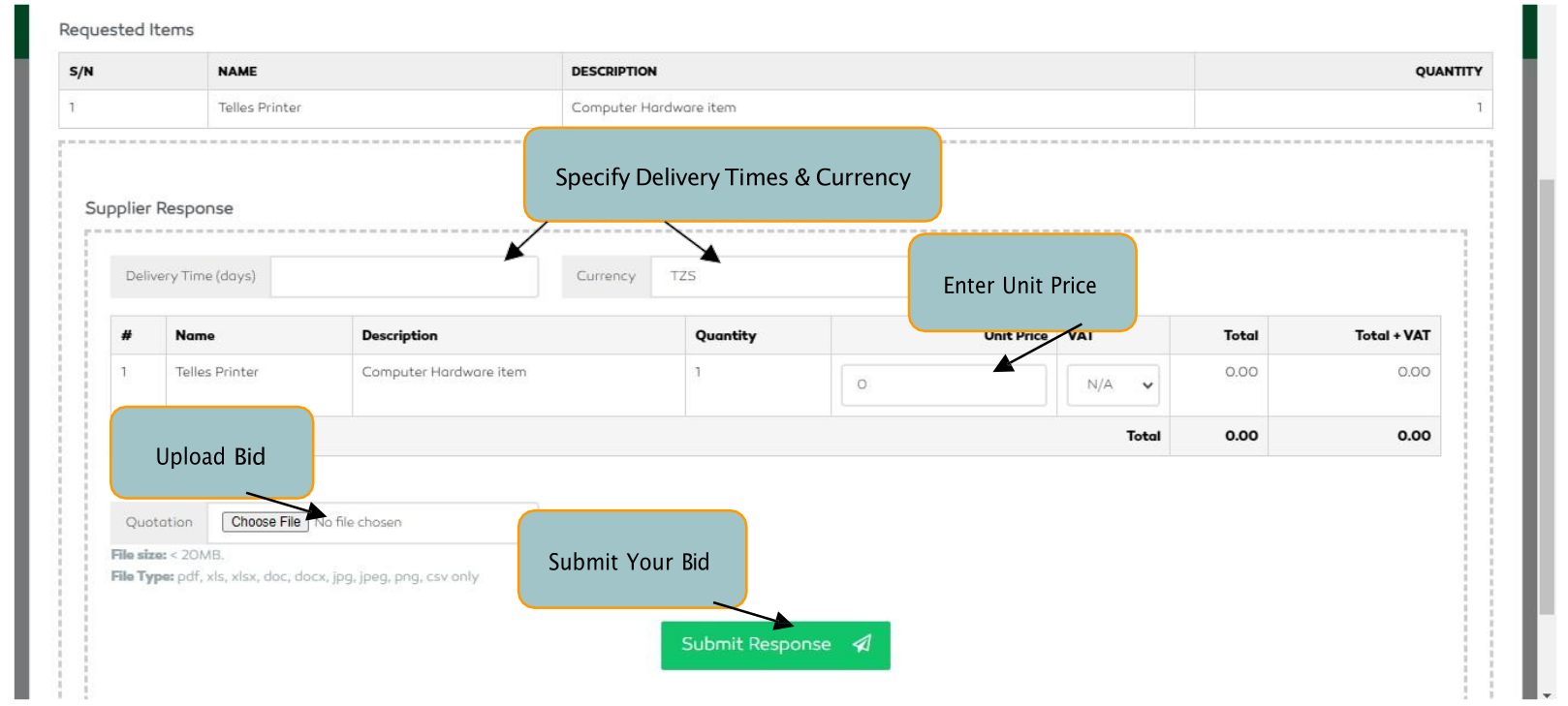
Figure 185: Submitting a Quotation