Registration Documentation (25 points)
To upload the required documentations, a supplier user will select the Add button found in the
registration documentation section.
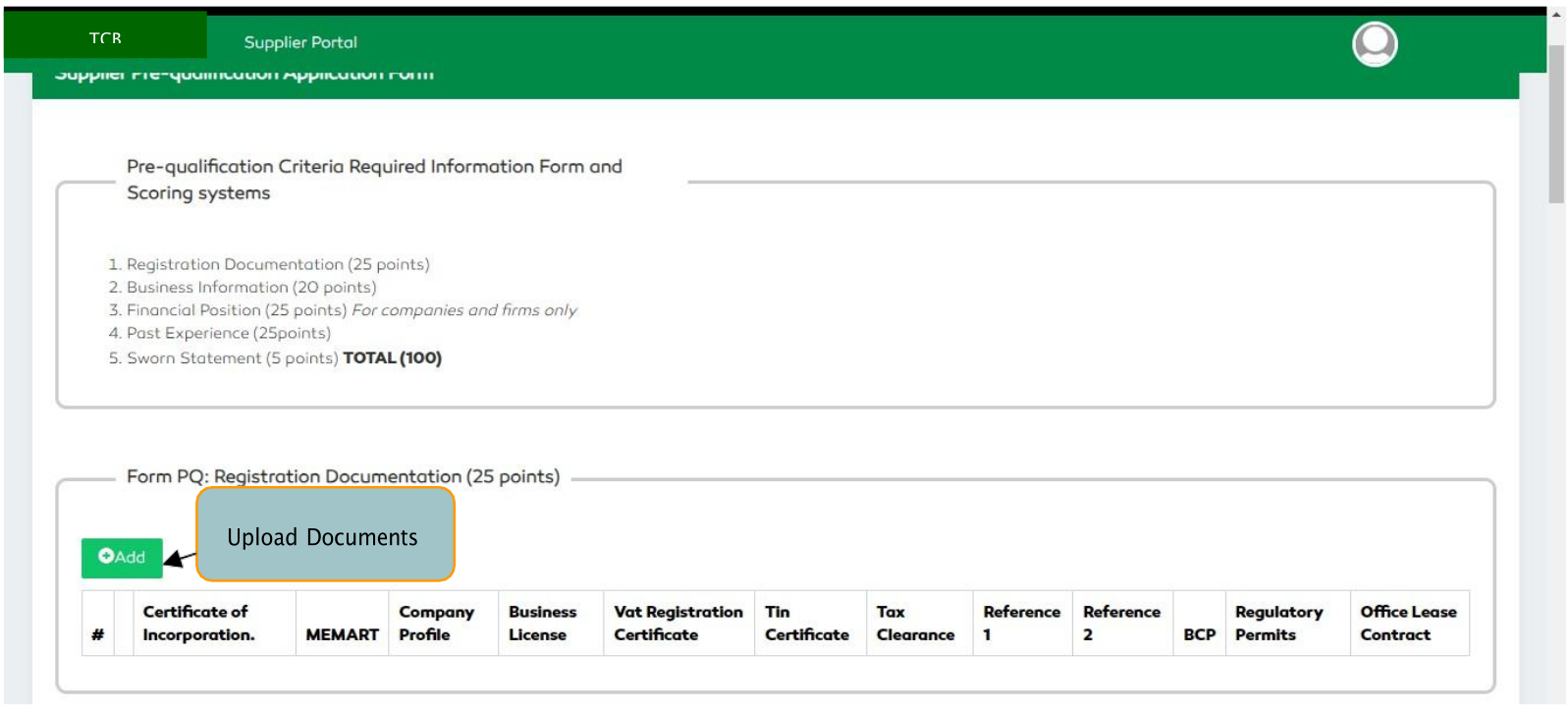
Figure 168: Supplier Pre-Qualification Criteria (Registration Documents)
A form with the description of all the required documents will be displayed to the user. The mandatory documents are all given an asterisk symbol. All the mandatory documents have to be filled in order to proceed with the process. Below is a description of all required documents.
A user will choose a file to upload from their folder.
| S/N | Mandatory Docs | Optional Docs |
|---|---|---|
| 1. | Certificate of Incorporation | Office Lease Contract |
| 2. | Memorandum and Articles of Association | Business Continuity Plan (BCP) |
| 3. | Company Profile | Regulatory Permits |
| 4. | Business License | |
| 5. | VAT Registration Certificate | |
| 6. | Tin Certificate | |
| 7. | Tax Clearance | |
| 8. | Reference 1 | |
| 9. | Reference 2 |
Table 6: Supplier Pre-qualification Documents
On completion of uploading the documents, a user will select the “Save” button to save the information uploaded.

Figure 169: Uploading Documents