Pre-Qualification Data
The pre-qualification data includes all the information that a supplier user filled during the registration process. A user is capable of editing the pre-filled information.
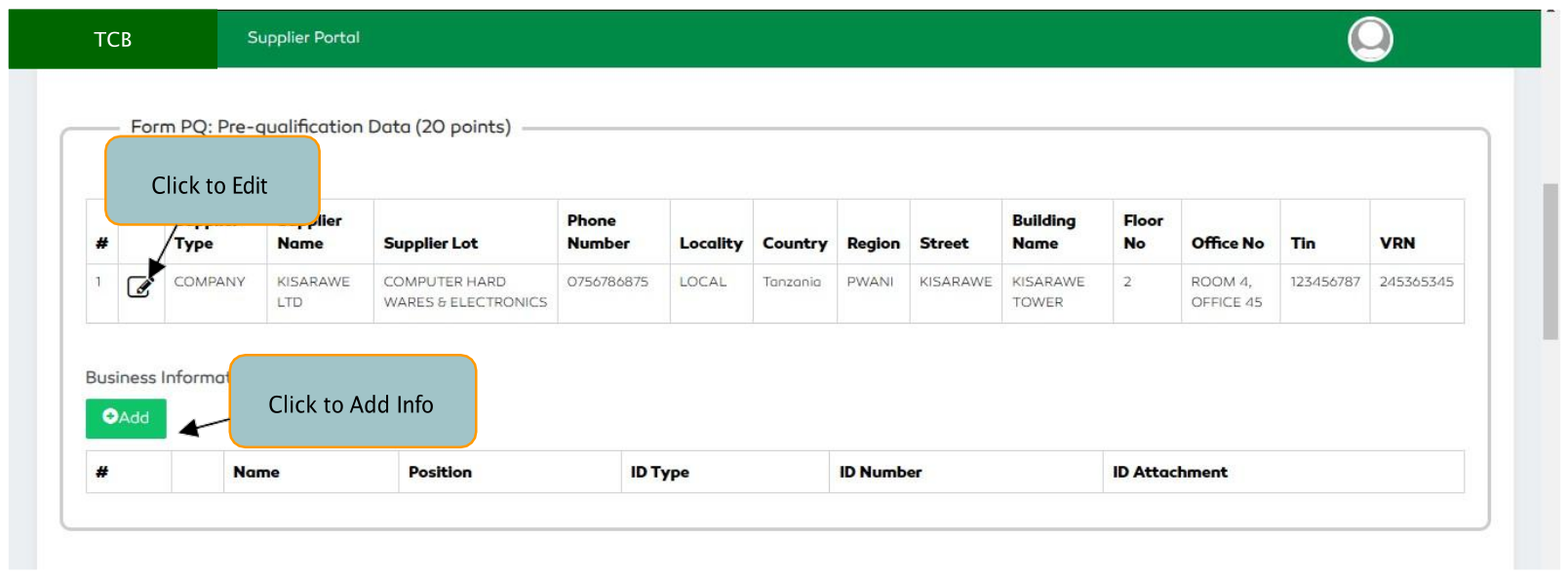
Figure 171: Pre-qualification Data section
Editing Pre-qualification Data
To edit pre-qualification data, select the Edit feature found on the second column of the data row. A user will
then enter the information to be updated then click the Submit button to save the details.
Adding Business Information
To add the business information, select the Add button and,
- Enter the Name
- Enter the position
- Select the ID Type
- Enter the ID Number
- Upload the ID Attachment
- Click the
Savebutton to save.
A user is capable of deleting an information by selecting the Delete functionality and also view the
attachment by selecting the specific attachment.
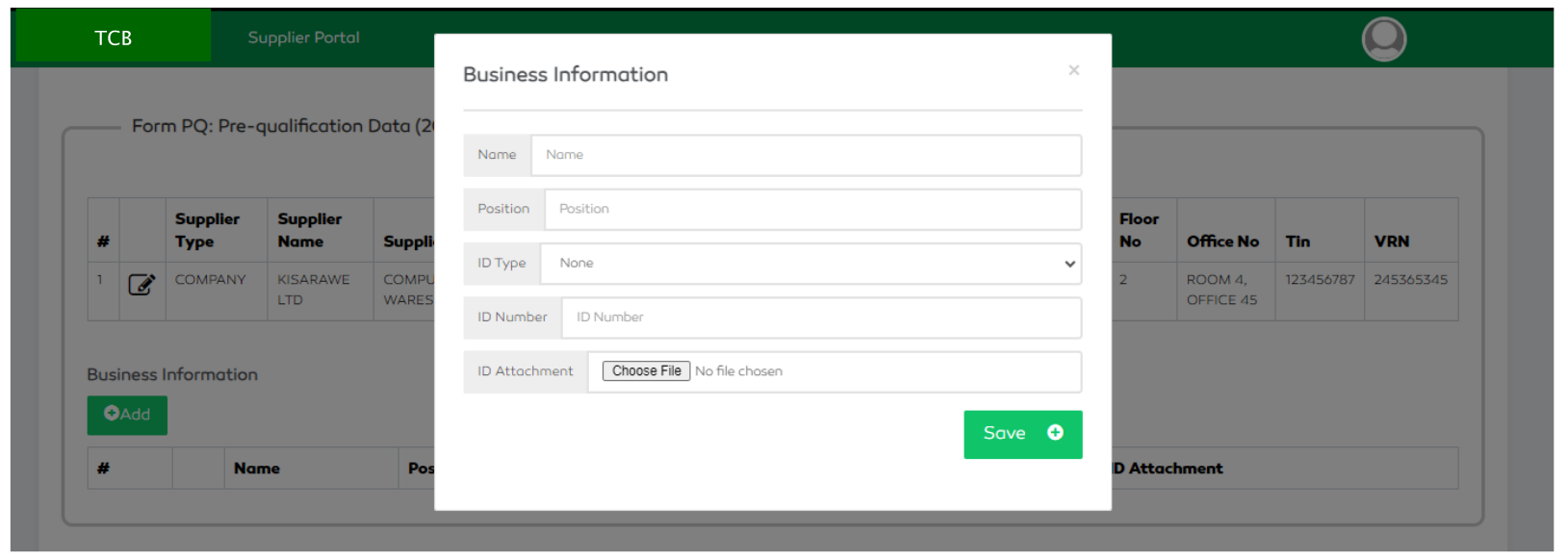
Figure 172: Supplier Pre-Qualification Criteria (Supplier Business Information)

Figure 173: Managing Business Info