Procurement Nature Settings
The procurement nature defines the kind of expenditures that the organization incurs. A user is capable of adding a new procurement nature, editing an existing nature or deleting a nature.
The core procurement natures defined in the system are:
- CAPEX (Capital Expenditure) - Involves the major expenses used over a long time
- COPEX (Cost Expenditure) - Involves the daily expenses to keep the business running
- Exceptional -
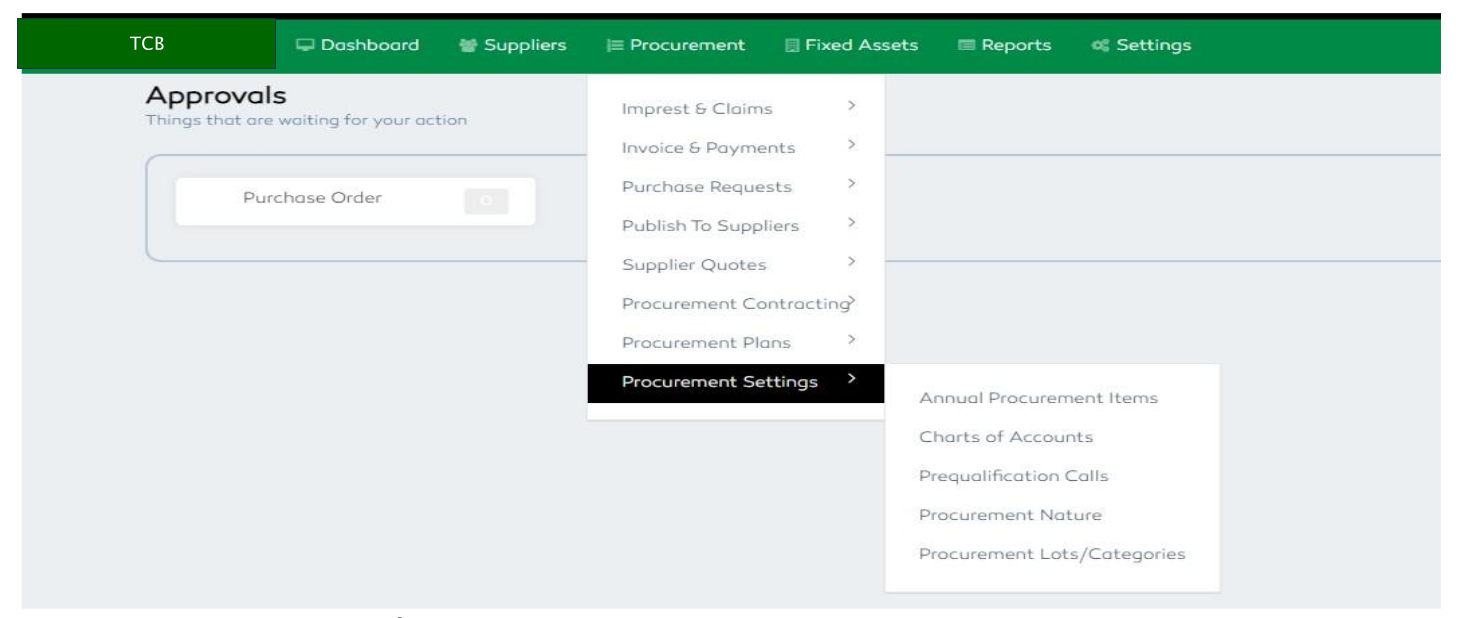
Figure 37: Procurement Nature Settings
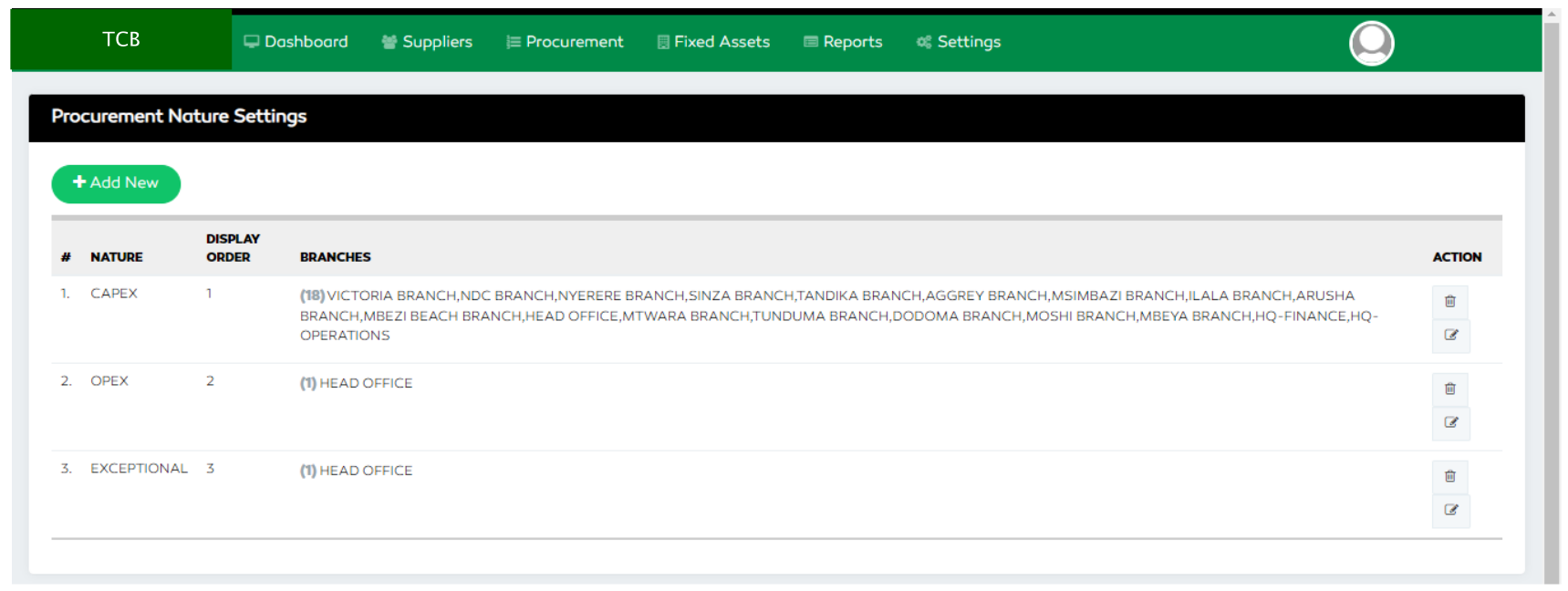
Figure 38: Procurement Nature Settings Features
Adding a Procurement Nature
To add a new procurement nature, click the Add feature, enter the nature, specify the display order,
select the branches eligible to that specific nature and save to proceed.
On editing an existing procurement nature, click the edit functionality at the far-right end and fill in the details then save to proceed.
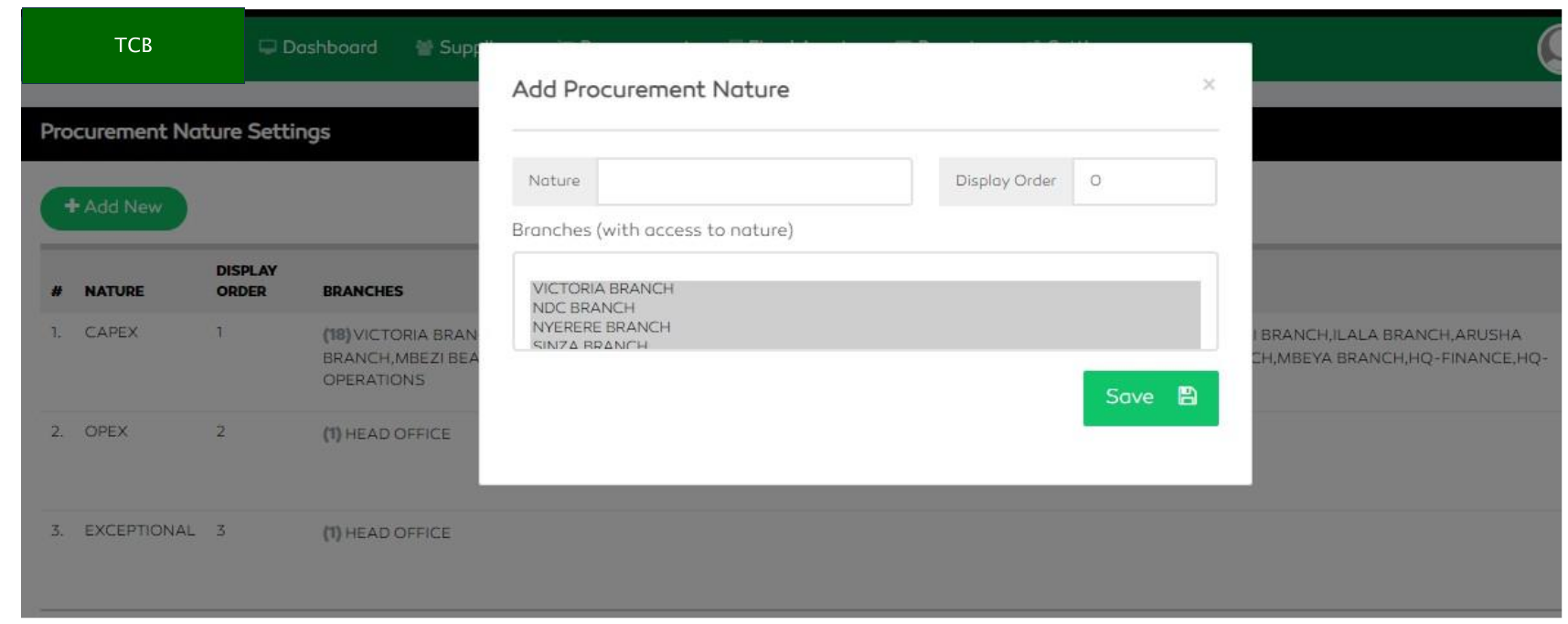
Figure 39: Adding a Procurement Nature
Editing a Procurement Nature
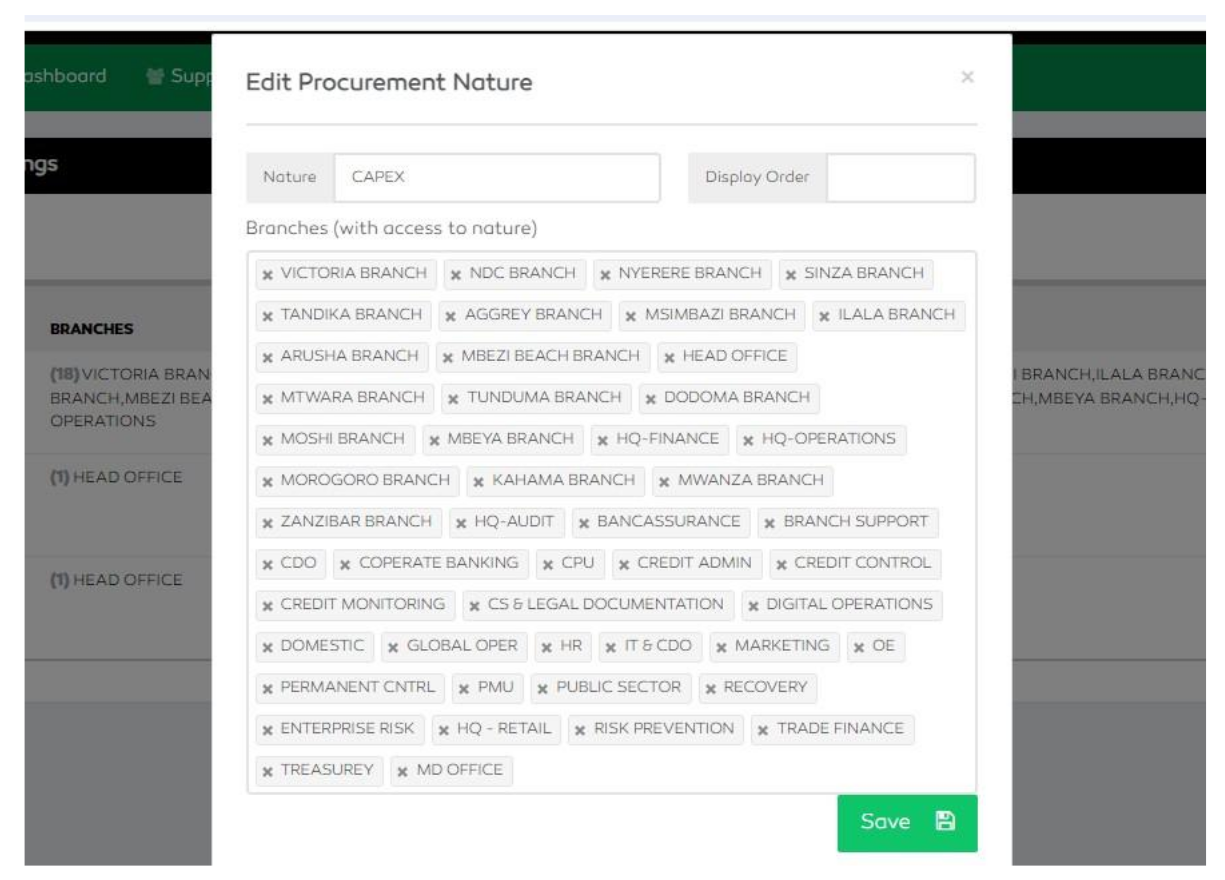
Figure 40: Editing a Procurement Nature