Procurement Plan
The Procurement Plan functionality enables a user to create, amend and publish the annual
procurement plan of the main stakeholders of the budget.
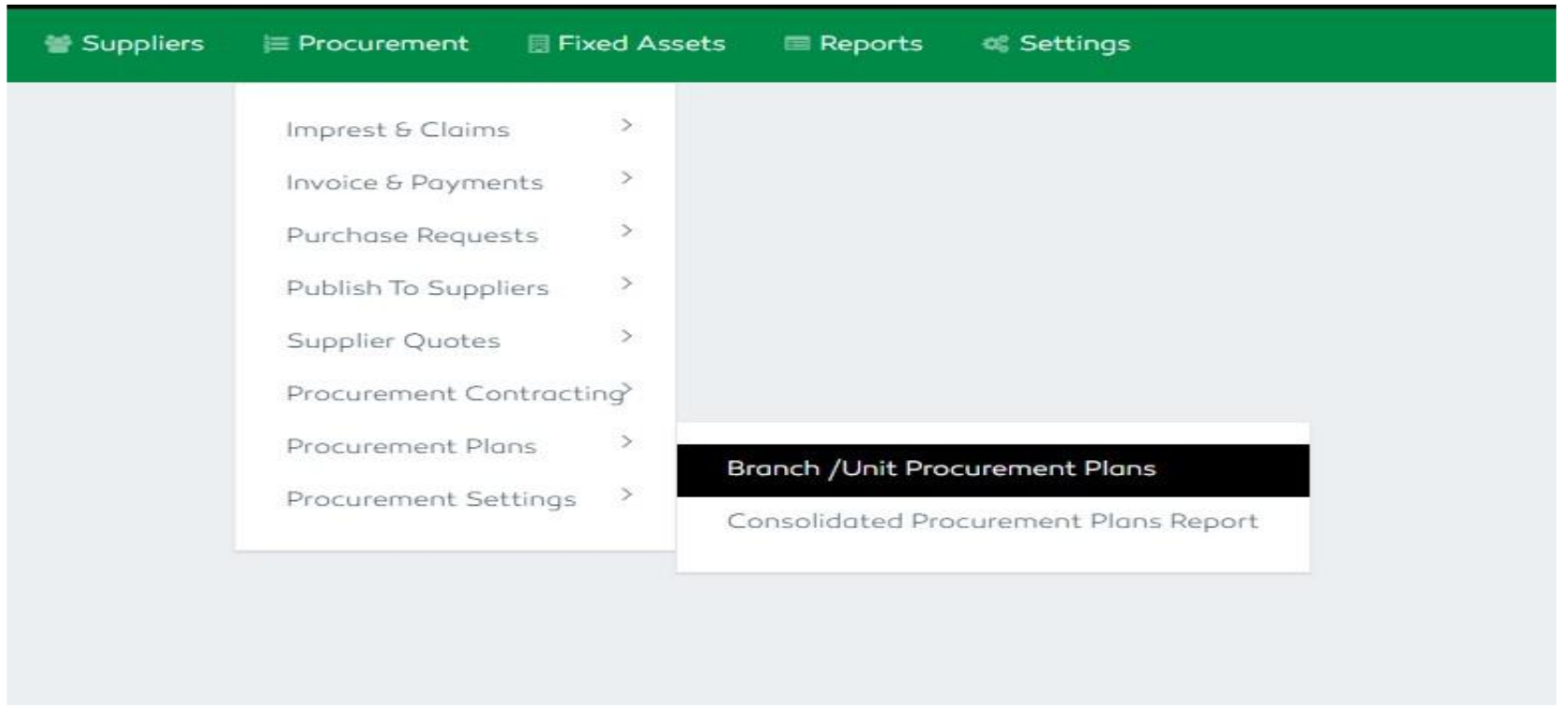
Figure 44: Procurement Plan Settings
Branch Procurement Plan
Each branch / unit is responsible for creating their own procurement plan. The branch manager will approve the
plan. Once the branch manager approves the plan, the submission status will be updated to Yes and the plan
will be automatically included in the consolidated procurement plan. The submitted branch / unit procurement
plan will be pending for admin and management approval.
A branch inputter / manager is only capable of viewing their own branch’s plan and cannot see other plans from
other branches.
All the plans are categorized according to their procurement nature where the specific items were placed.
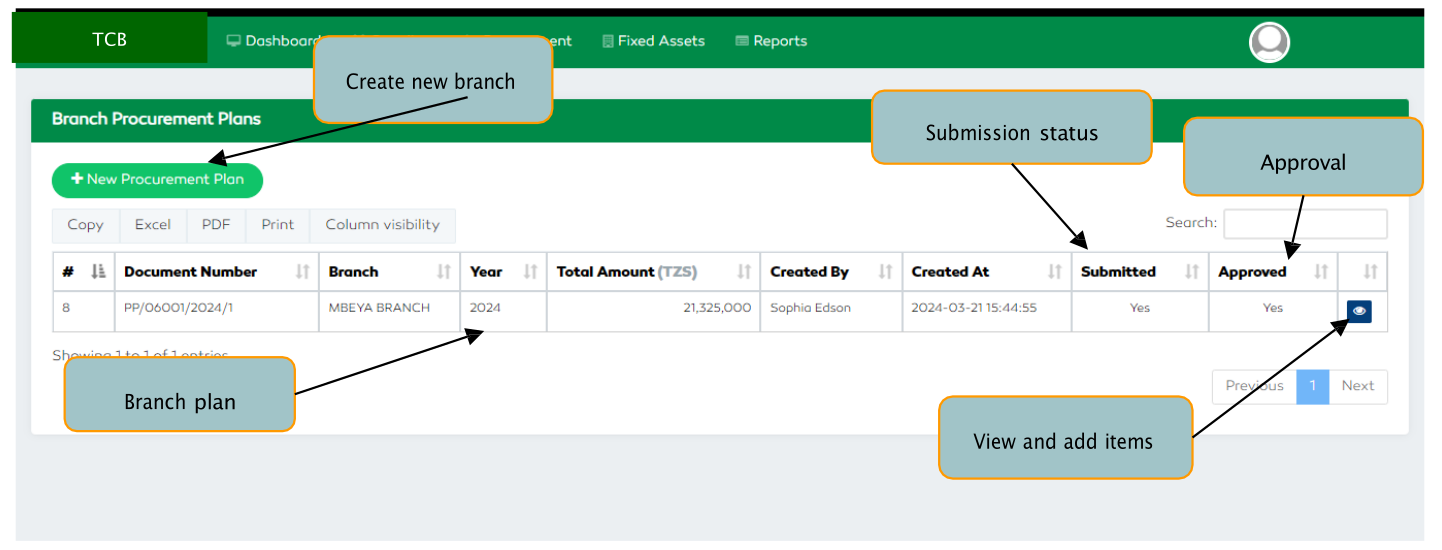
Figure 45: Branch Procurement Plan Features
Consolidated Procurement Plan
The procurement admin verifier creates the overall annual procurement plan by consolidating all the branches’ procurement plans. The admin verifier is capable of adjusting the branch procurement plan in alignment with their budget. After admin’s verification, the procurement plan is forwarded to the management for final approval.
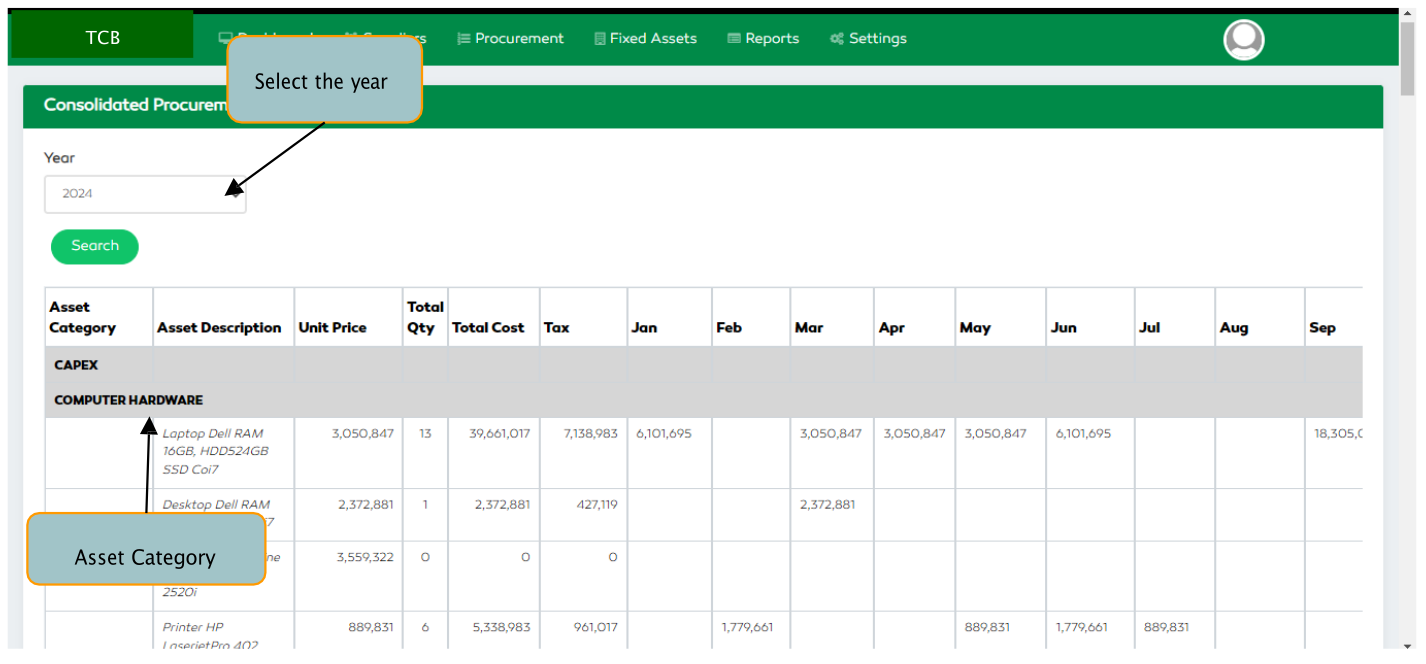
Figure 46: Annual Consolidated Procurement Plan Features
By clicking an eye icon at the far-right end, a user is capable of viewing the branches associated with that
specific category / item in the plan.