Publishing To Suppliers
After creation of a purchase request and its approval processes completed, a Request for Quotation (RFQ) or Request for Tender (RFT) has to be published to invited suppliers or interested vendors. All this has to be done in reference to a certain purchase request created earlier by its purchase request ID.
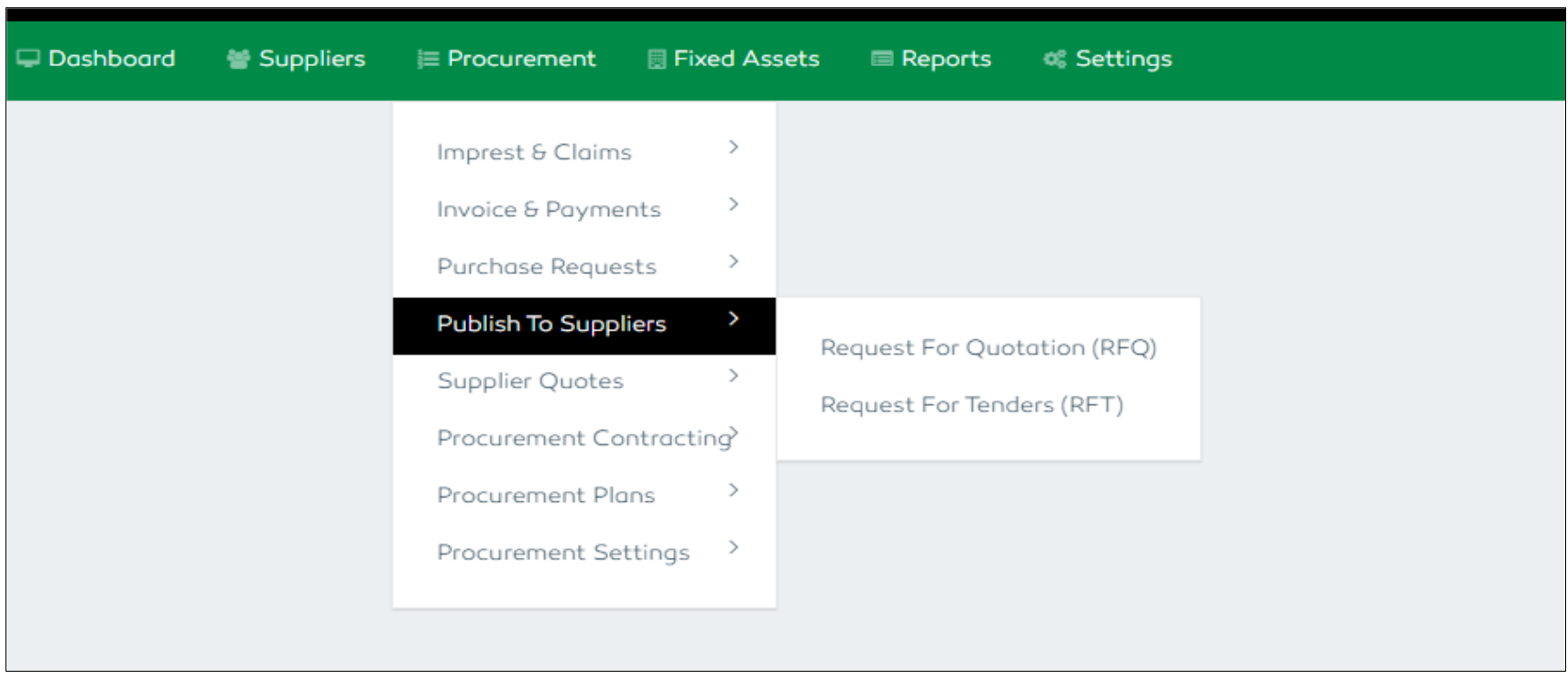
Figure 55: Publishing RFQ and Tenders Features
Publishing an RFQ
For requests with an amount not exceeding 10 million, an RFQ will be generated for the intended suppliers.
A user will have to select the specific PR he intends to publish an RFQ for from a dropdown list provided, the delivery times or days with their start date and end date. Any other specifications or message can be added and attachment uploaded if there is one. Once the PR is selected, its details will be added to the RFQ publishing form. The user then will click the “Publish Request for Quotation” button to publish and proceed.
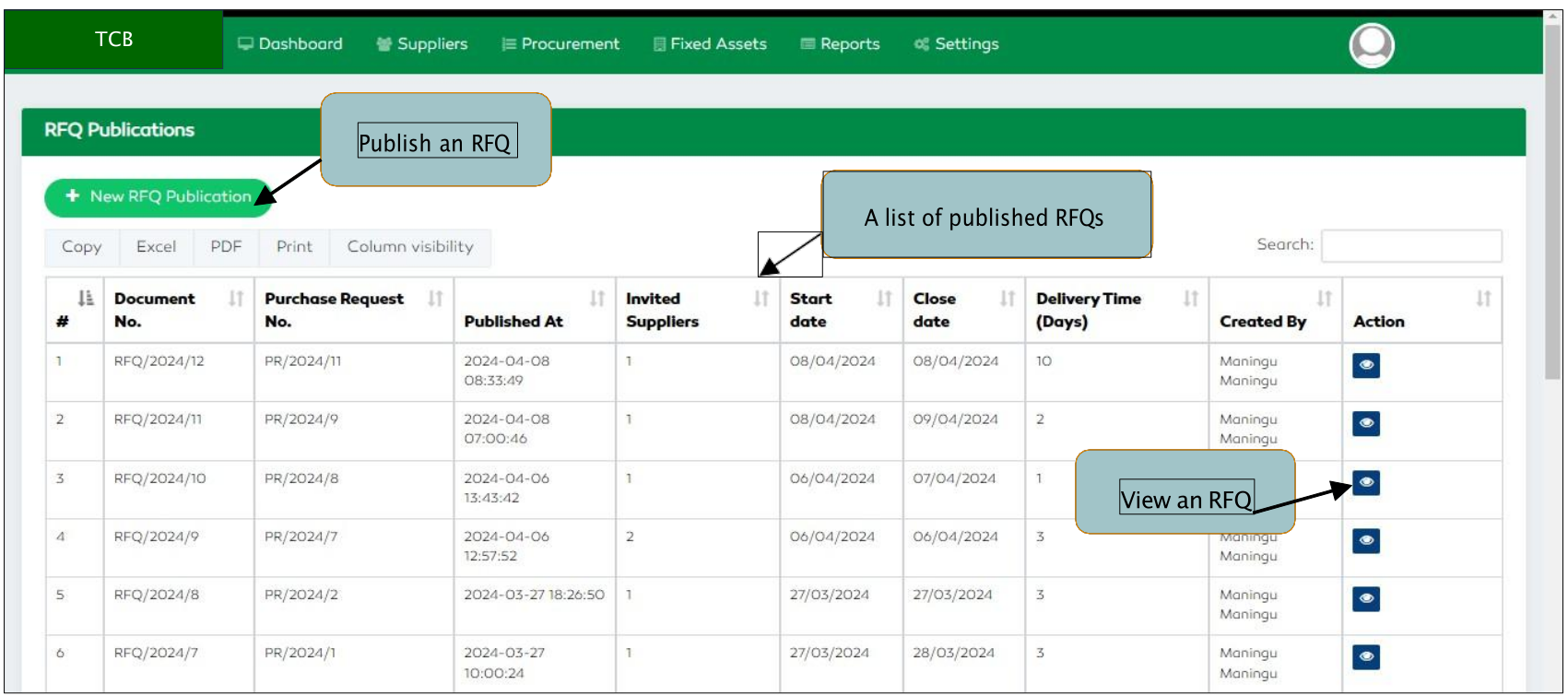
Figure 56: RFQ Module Features
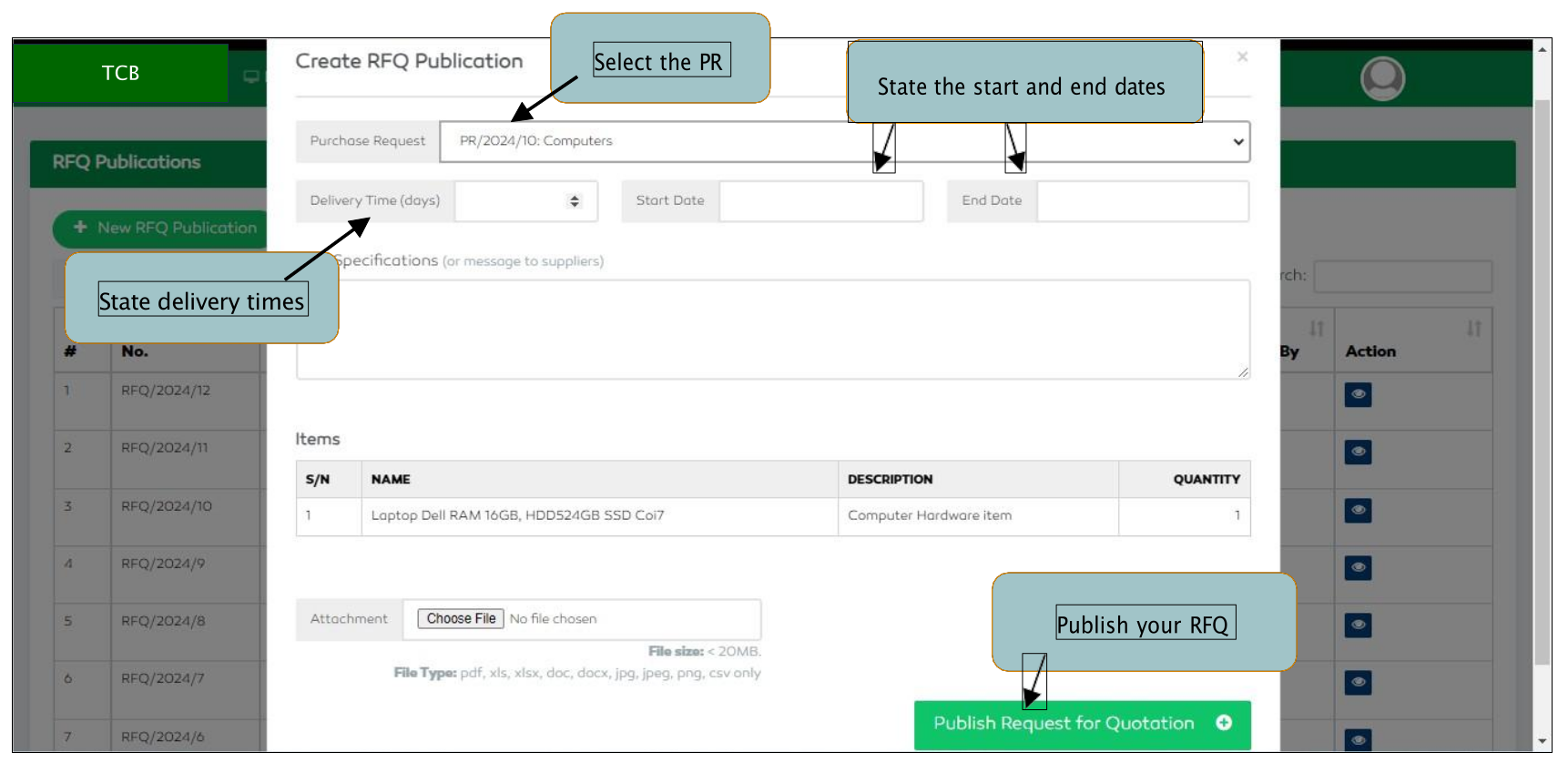
Figure 57: Publishing an RFQ
Publishing an RFT
For purchase requests with amounts exceeding 10 million, an RFT will be generated. The user will click
the New Tender button to publish a new tender.
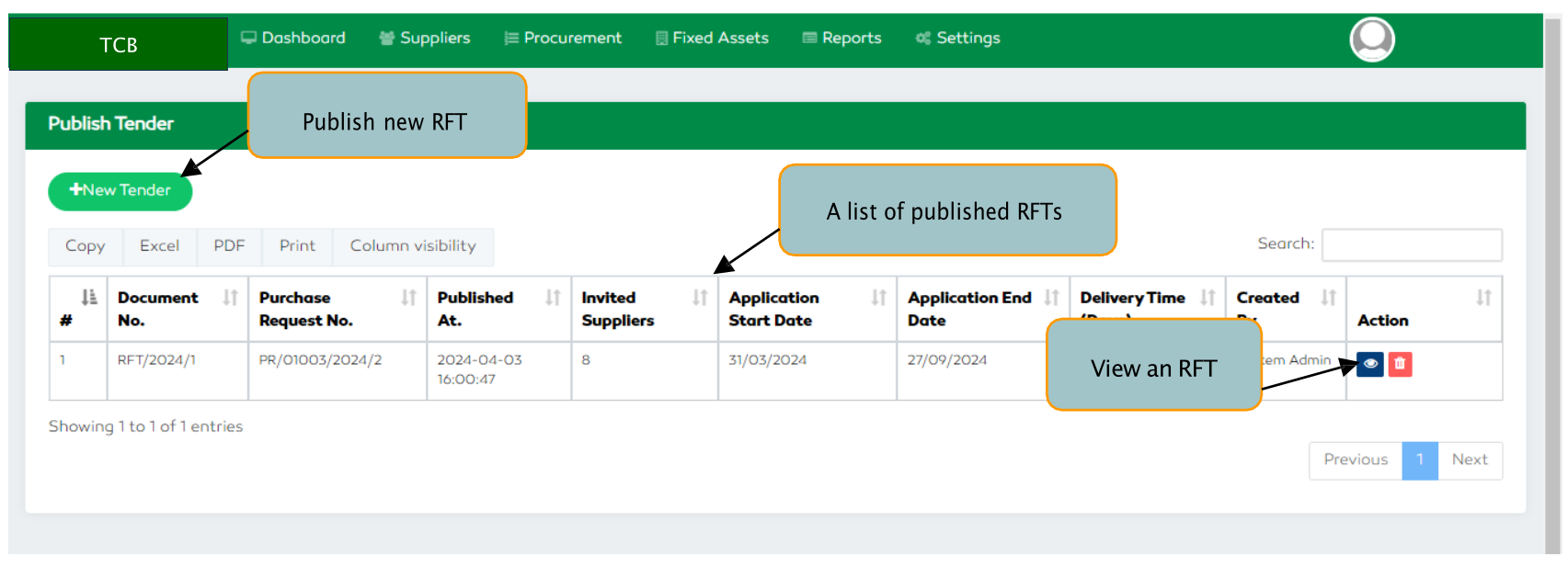
Figure 58: A Tender section Features
A user will have to select the specific PR he intends to publish an RFT for from a dropdown list provided then
enter the delivery times or days with their start date and end date. Any other specifications or message can
be added and attachment uploaded if there is one. Once the PR is selected, its details will be added to the RFT
publishing form. The user then will click the Publish Tender button to publish and proceed.
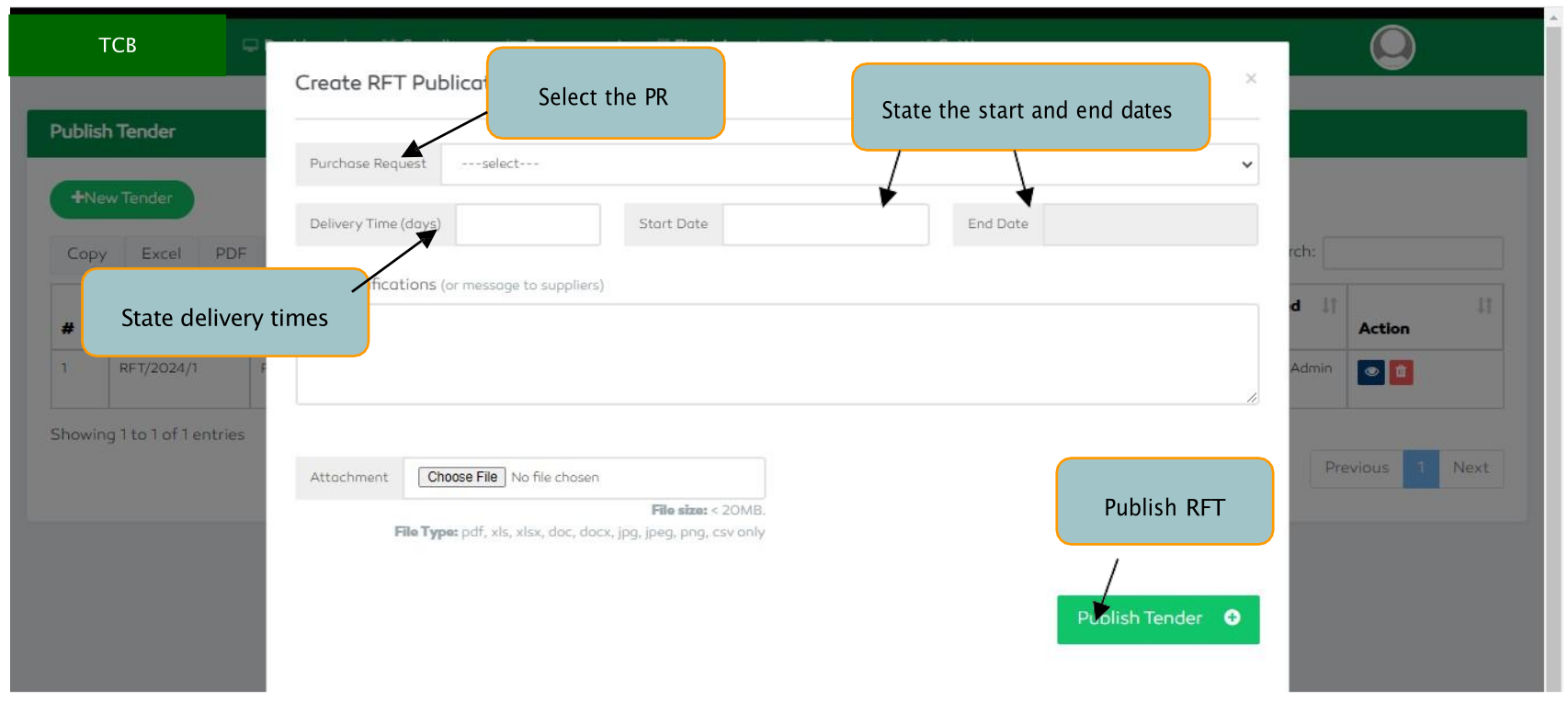
Figure 59: Publishing a Tender to Suppliers